01
Receiving Your Invitation
Your board journey begins with an email invitation from Dafira:
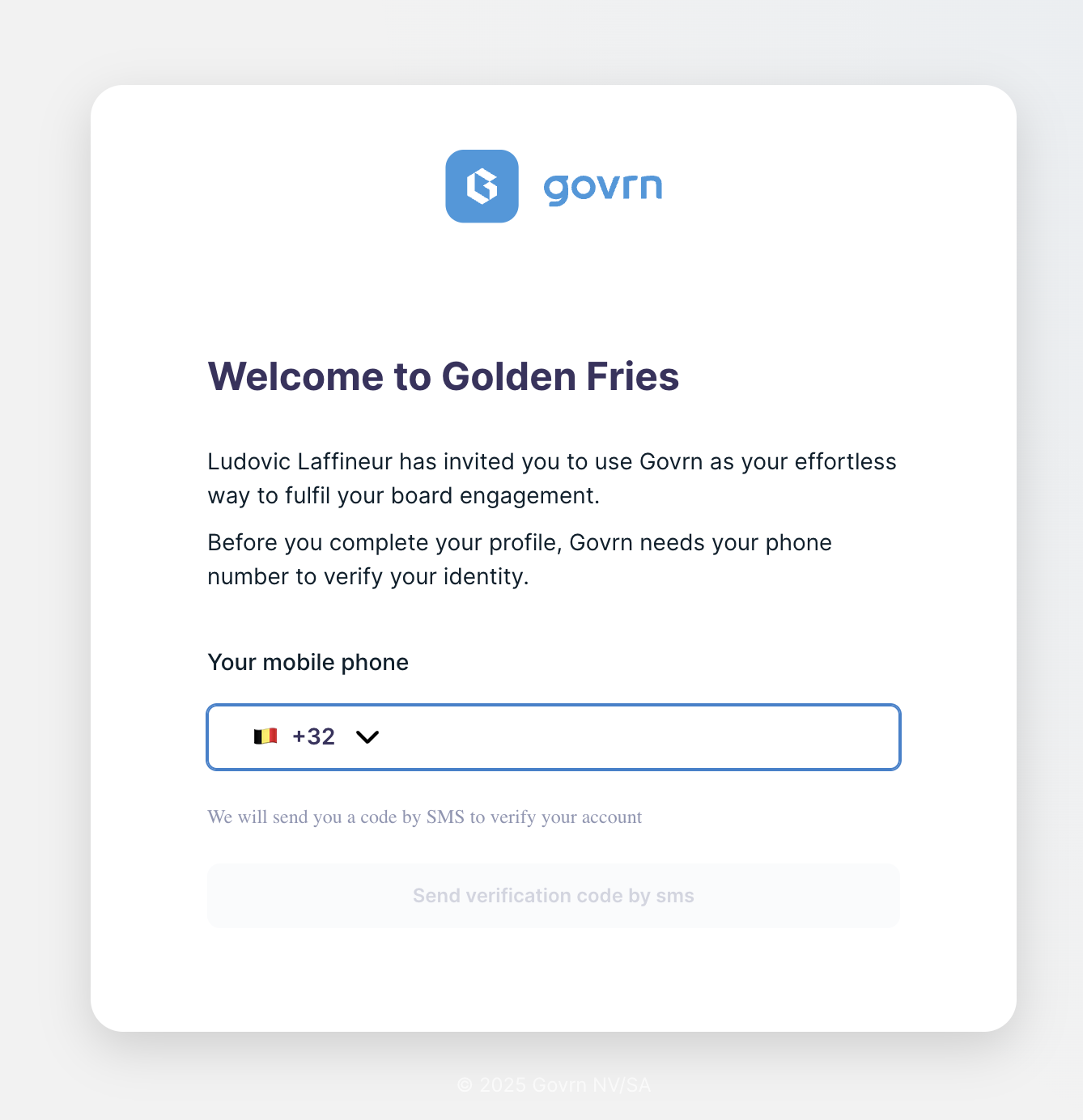
- Check your email inbox for an invitation from info@dafira.ai
- Click on the invitation link in the email
- Insert your phone number when prompted
- Create your profile by filling in the required information
- Set up a strong password for your account
- Complete your profile setup
Connectivity Issues?
- Check your internet connection
- Ensure your firewall allows access to Dafira domains
- Contact your IT department if issues persist
Phone Number Already Used?
- You can use any email address linked to your phone number
- Communications will be automatically linked to the correct emails
- Multiple email addresses can share the same phone number
- Login works with any of your registered email addresses
02
Creating Your Password and Profile
Set up your secure credentials and complete your board member profile:
Password Requirements
- Minimum 8 characters long
- At least one uppercase letter
- At least one number
- At least one special character
Profile Information
Complete your profile with:
- Full name and professional title
- Contact preferences for notifications
- Profile photo (optional but recommended)
- Time zone for meeting scheduling
03
Your First Login - Home Page Overview
After logging in, you'll see your personalized board member dashboard:
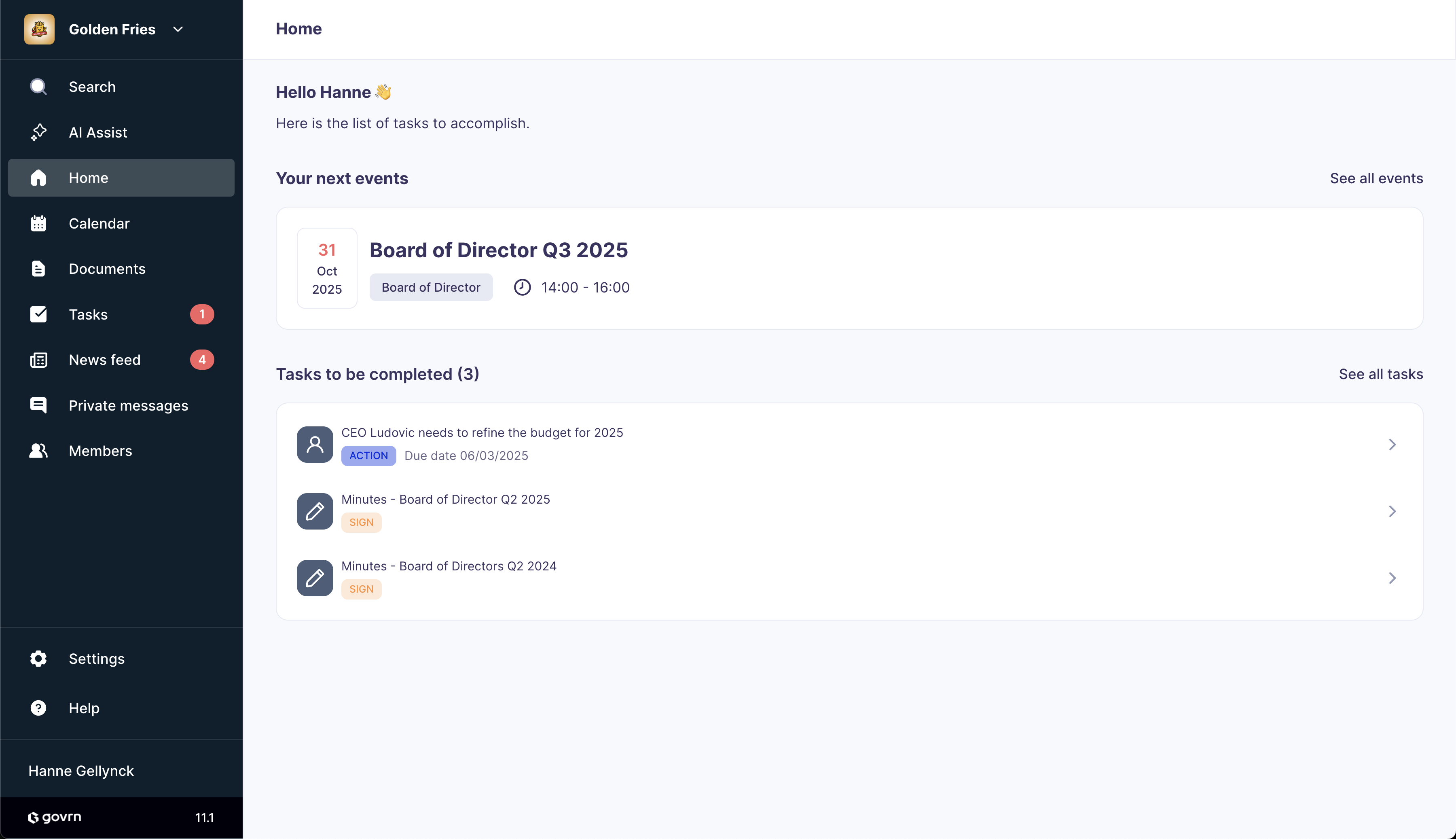
- View next events you are invited to
- Check assigned tasks and their deadlines
- See recent notifications and updates
- Access quick navigation to key sections
Dashboard Sections
Upcoming Events
See meetings you're invited to with dates, times, and preparation status.
Assigned Tasks
Track documents to read, items to sign, and votes to cast before meetings.
04
Navigating the Events Tab
Manage your board meetings and access event-related materials:
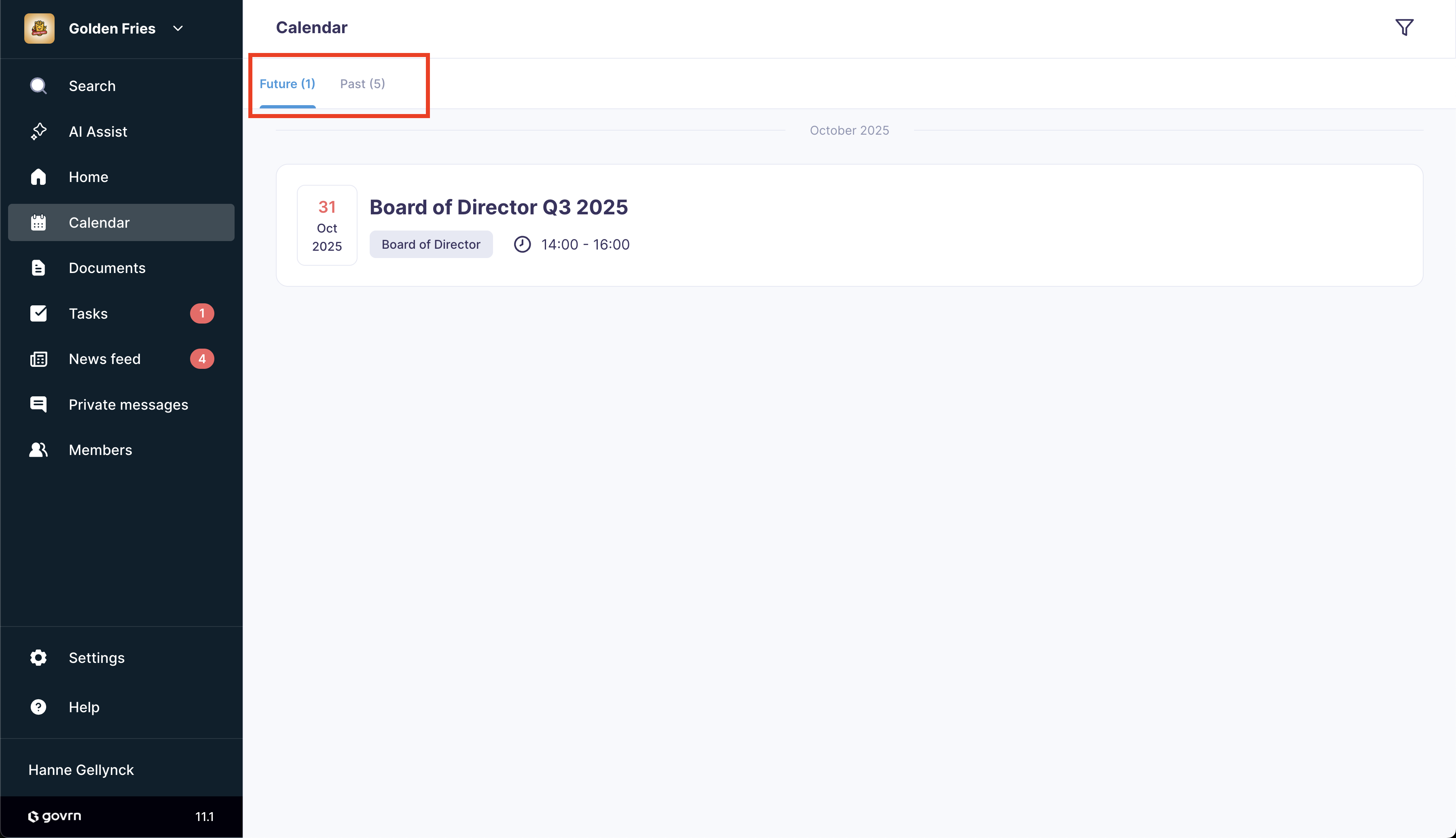
- Browse future events for your board groups
- Review past events and their materials
- Filter events by date, type, or group
- Access event-specific documents and tasks
Event Organization
Future Events
- Upcoming board meetings
- Committee sessions
- Special events and AGMs
Past Events
- Meeting minutes and records
- Historical documents
- Decision archives
05
Preparing for Board Meetings
Use event details to prepare effectively for each board meeting:
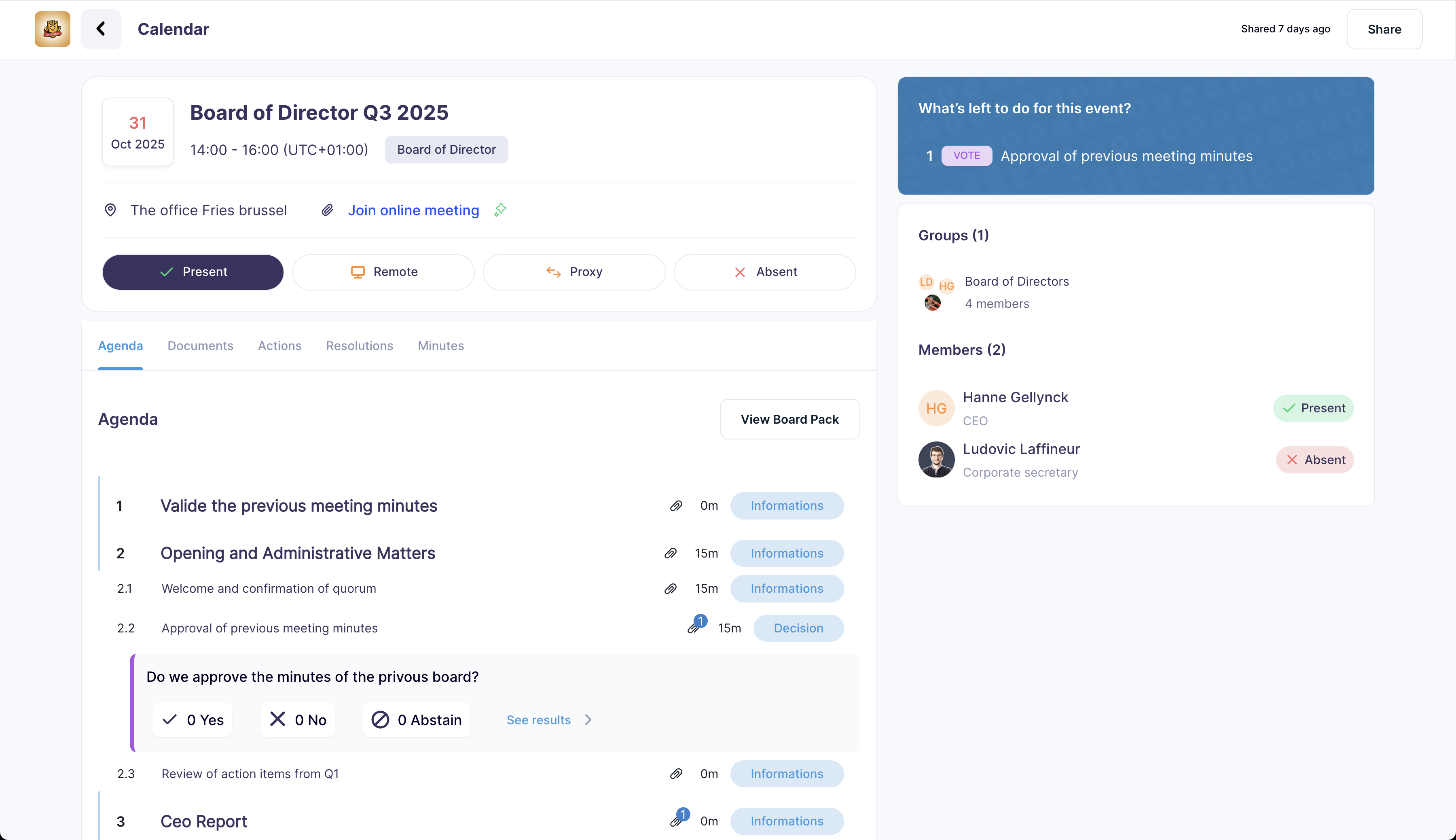
- Mark your presence by clicking the attendance button
- Alternatively, respond to the email invitation from Dafira
- Review tasks assigned for this board meeting
- Read and annotate documents in the board pack
- Complete any required actions (read, sign, vote)
- Prepare notes and questions for the meeting
Meeting Preparation Checklist
Before the Meeting
- Confirm attendance
- Read all board pack materials
- Complete required tasks
- Prepare questions and notes
Document Actions
- Read: Review and understand
- Sign: Digital signature required
- Vote: Cast your board vote
- Annotate: Add private notes
06
Board Pack and Annotations
Read documents efficiently and make private annotations to prepare for meetings:
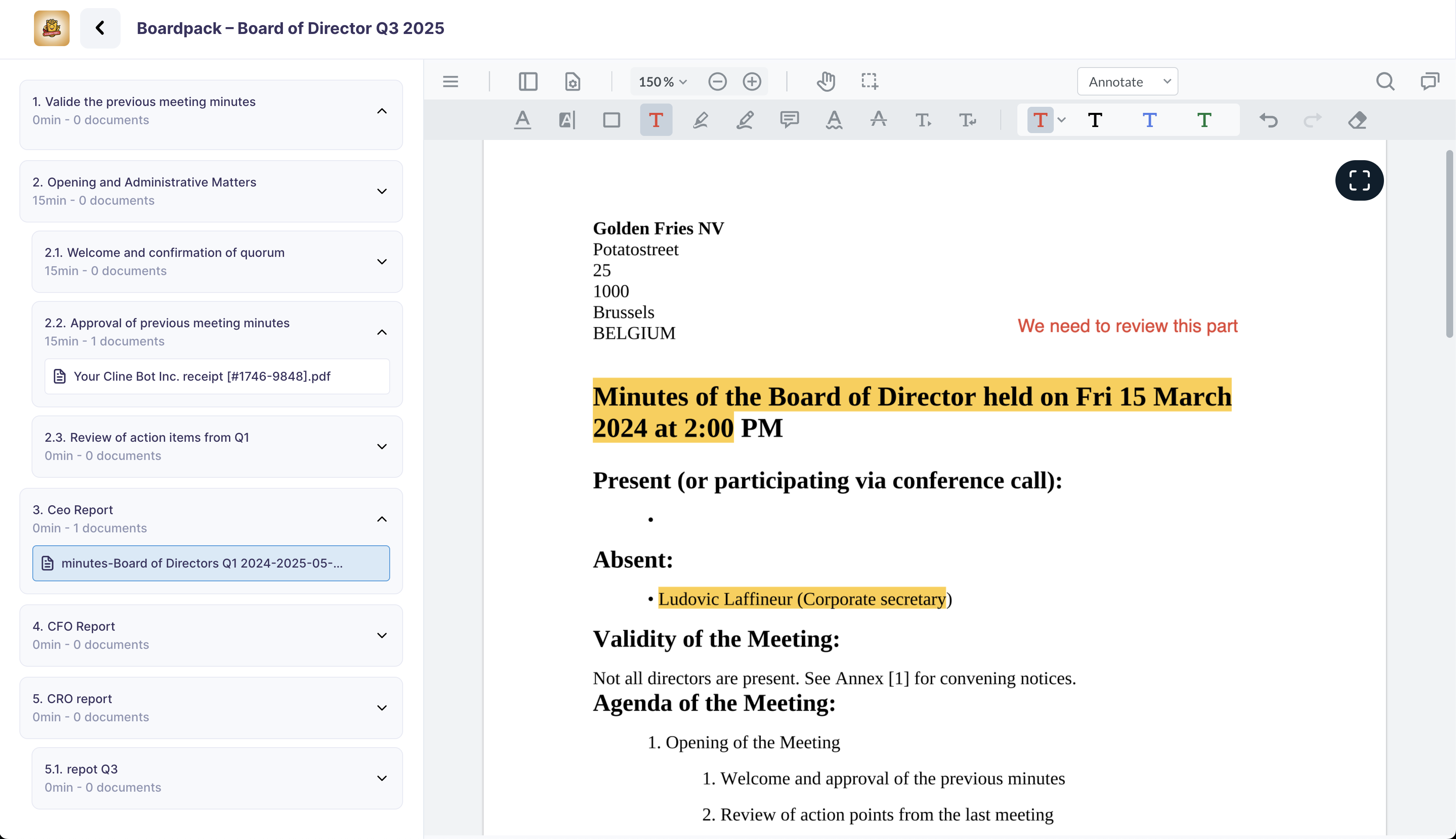
- Access the board pack from your event details page
- Click on any document to open the viewer
- Use the annotation tools in the sidebar
- Add private notes that only you can see
- Highlight important sections for quick reference
- Save your annotations automatically as you work
Annotation Tools
Available Features
- Private notes visible only to you
- Text highlighting in multiple colors
- Comment bubbles for detailed observations
- Drawing tools for diagrams and markups
- Search within your annotations
- Export annotations with document references
Best Practices
- Use different colors for different topics
- Add questions directly to relevant sections
- Highlight key financial figures
- Note potential concerns or risks
- Reference related documents in notes
- Review annotations before meetings
07
Managing Documents
Access and organize all your board-related documents:
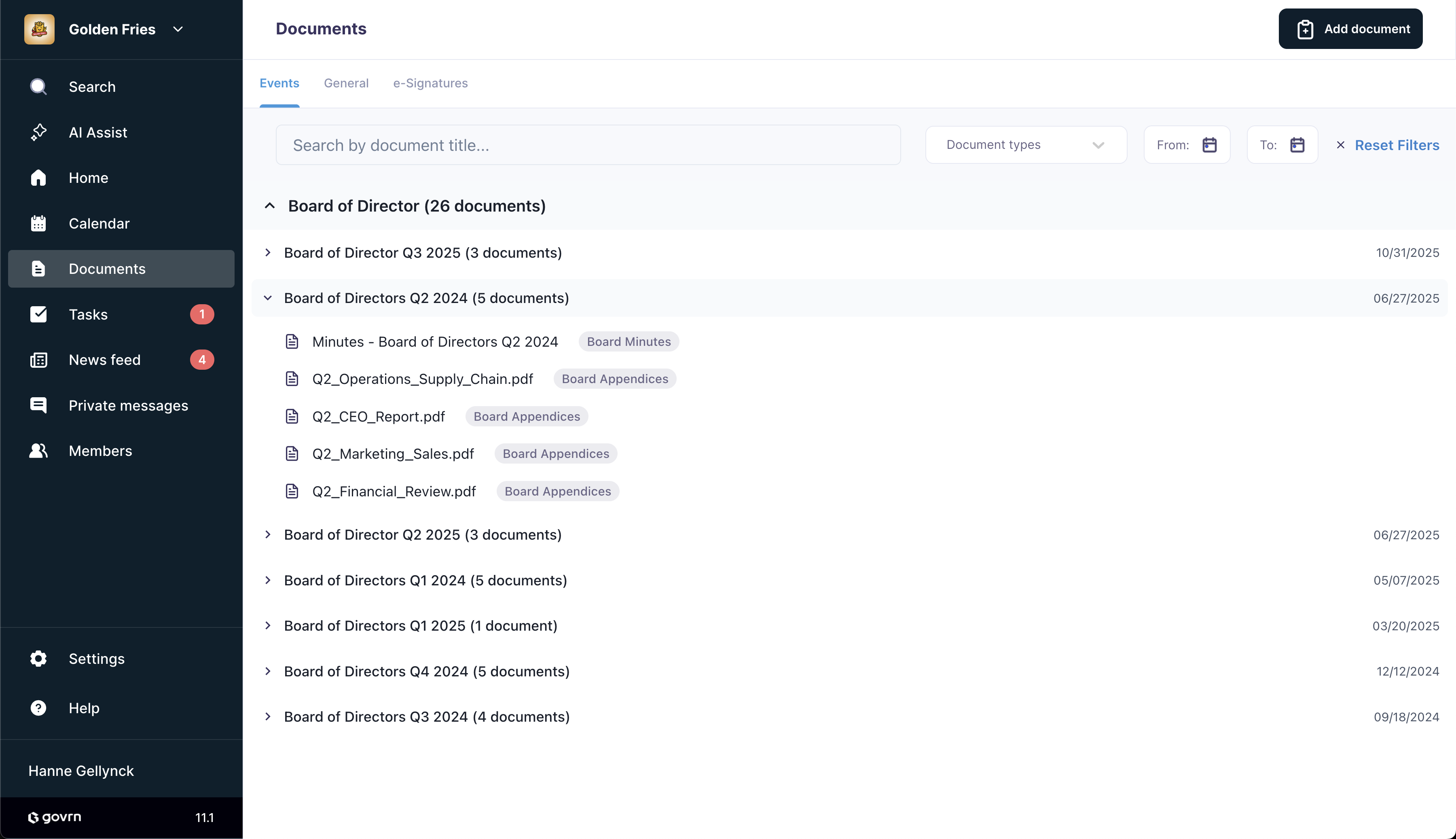
- Event Documents: Materials linked to specific meetings
- General Documents: Bylaws, SHA, and other permanent files
- Signed Documents: Items requiring your digital signature
- Draft Documents: Working versions and collaborative materials
Document Organization
Search and Filter
Use the search bar to quickly find documents:
- Type "minutes" to see all meeting minutes
- Search by document name or content
- Filter by document type or date
- Sort by relevance or creation date
Event Documents
Documents organized by meeting, including agendas, reports, and presentations.
General Documents
Permanent documents like bylaws, shareholder agreements, and governance policies.
08
Private Chat and Collaboration
Communicate securely with fellow board members:
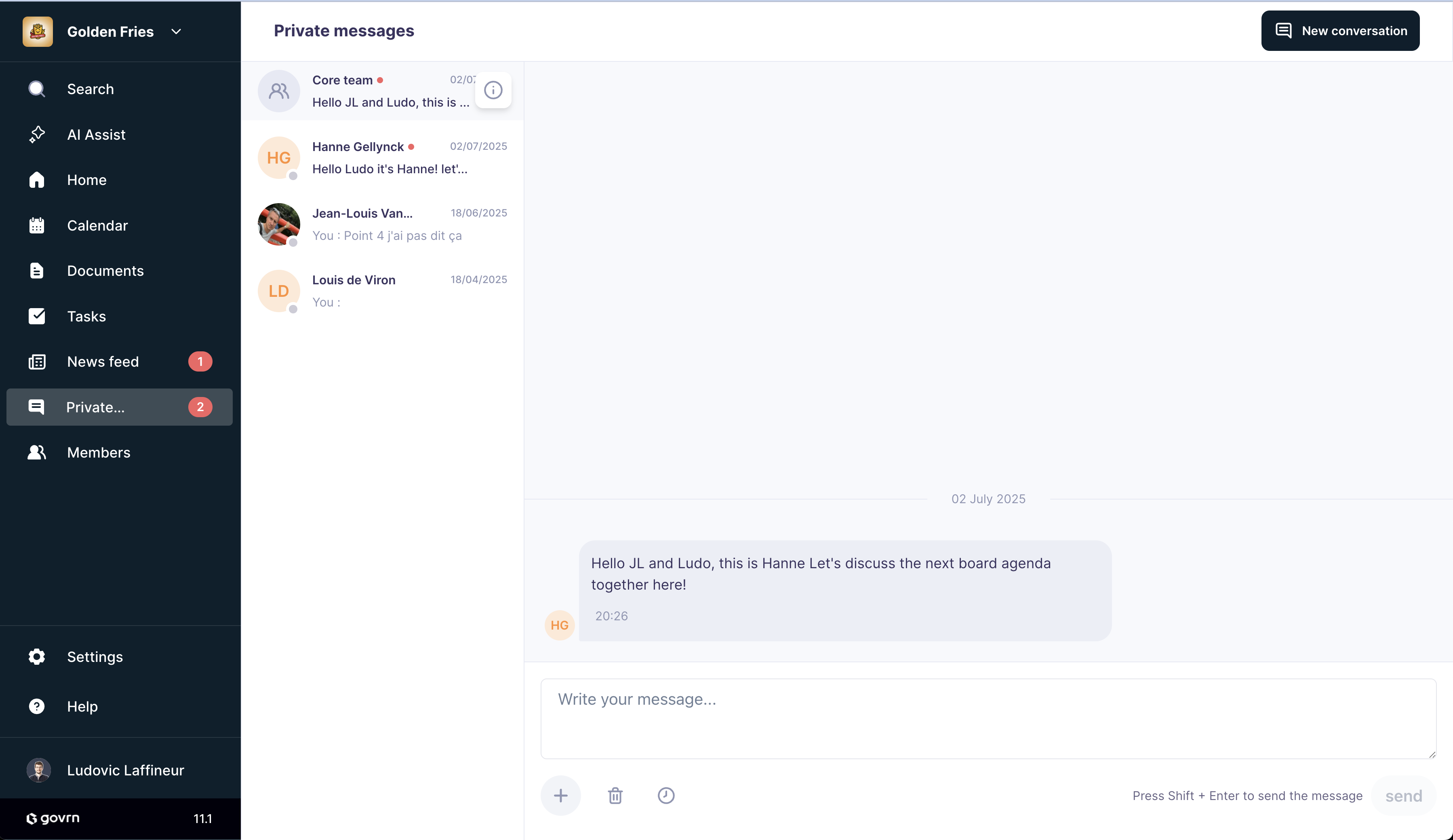
Chat Features
- Private Discussions: Start confidential conversations with individual board members without leaving the platform.
- Group Chats: Create focused discussion groups for committee work or specific topics.
- Secure Messaging: All communications are encrypted and remain within your board's secure environment.
Quick Reference
Key Actions
- Confirm meeting attendance early
- Read board packs before meetings
- Complete assigned tasks on time
- Use private annotations for notes
Best Practices
- Keep your profile information updated
- Use search filters to find documents
- Engage in board discussions via chat
- Review past meeting materials
Ready to Get Started?
You now have everything you need to effectively use Dafira as a board member. If you need additional help or have questions about specific features, our support team is ready to assist.