Agenda builder
Build the agenda, attach the papers, share it with the board
Start from a template, give each item a type, a duration and its documents, and share the agenda with the board. The AI suggests items based on previous meetings.
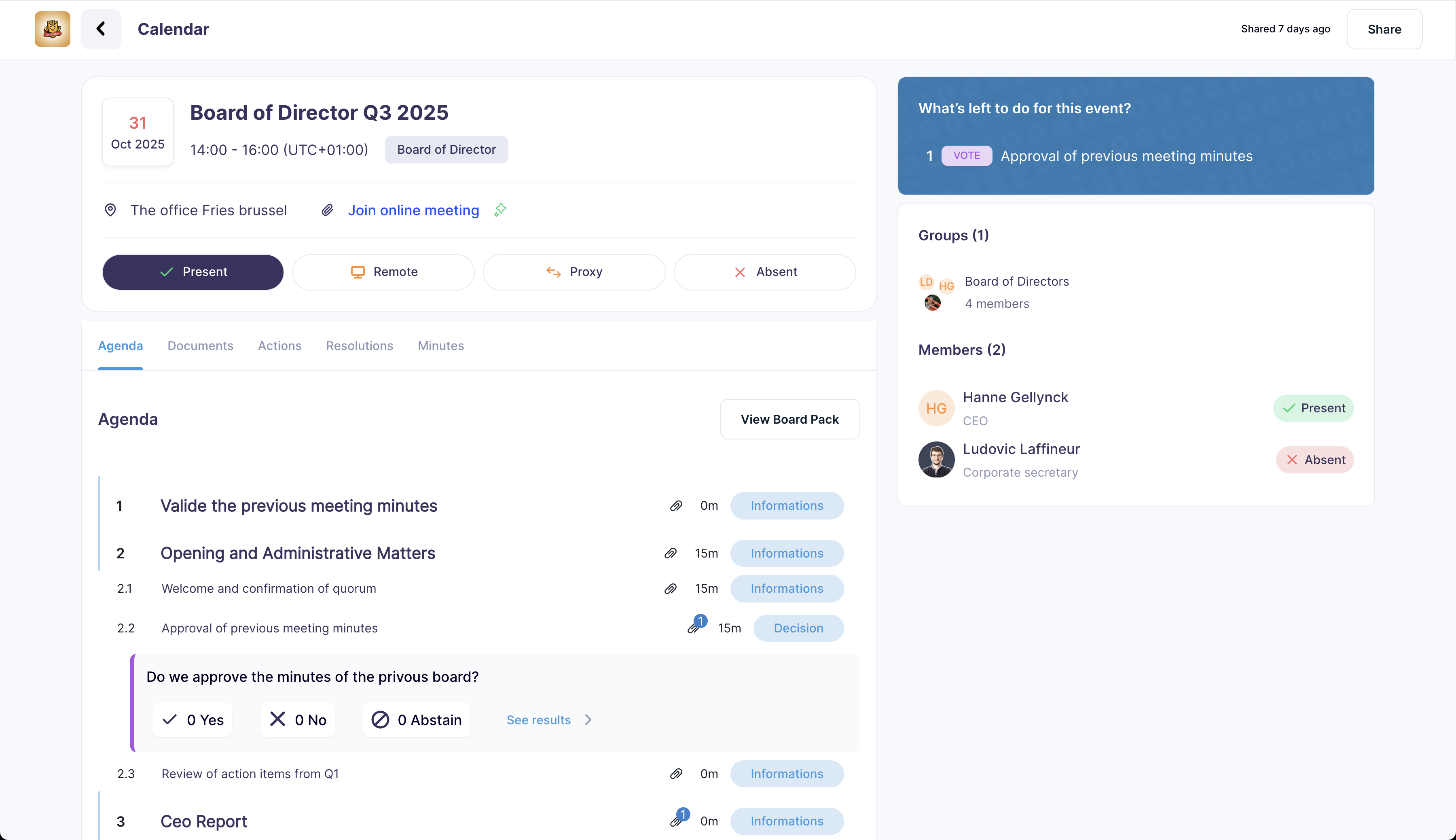
What the agenda builder does
Everything a board secretary needs to prepare the agenda and the board pack in the same place.
Templates
Start from a template for each type of meeting.
- Templates by meeting type
- Customisable layouts
- Suggested timings
AI suggestions
Recommendations based on your board’s history.
- Items carried over from past meetings
- Suggested time allocation
- Open actions from the previous meeting
Organisation
Adjust the agenda until the last minute.
- Drag-and-drop ordering
- Sub-items
- Time reallocation
- Documents attached to each item
Agenda items
Each item carries its own papers
An item has a type (information, discussion or decision), a duration, a presenter, sub-items and documents. Directors open the documents from the agenda, in the order of the meeting.
- Information, discussion and decision items
- Duration per item and total duration
- Sub-items numbered automatically
- Documents attached to the item they support
How it works
From template to shared agenda
- 01
Select a template
Choose a template for the type of meeting or start from a blank agenda.
- 02
Adjust the items
Add, remove or reorder items and accept or ignore the suggestions.
- 03
Check the timings
Review the duration of each item against the time available.
- 04
Share with the board
Publish the agenda and the board pack to the directors and collect their feedback.
Other features
Each feature works on the same meetings, documents and members.
See Dafira with your own board pack
A 30-minute demo with someone who has run board meetings. Bring a real agenda and we will set it up with you.